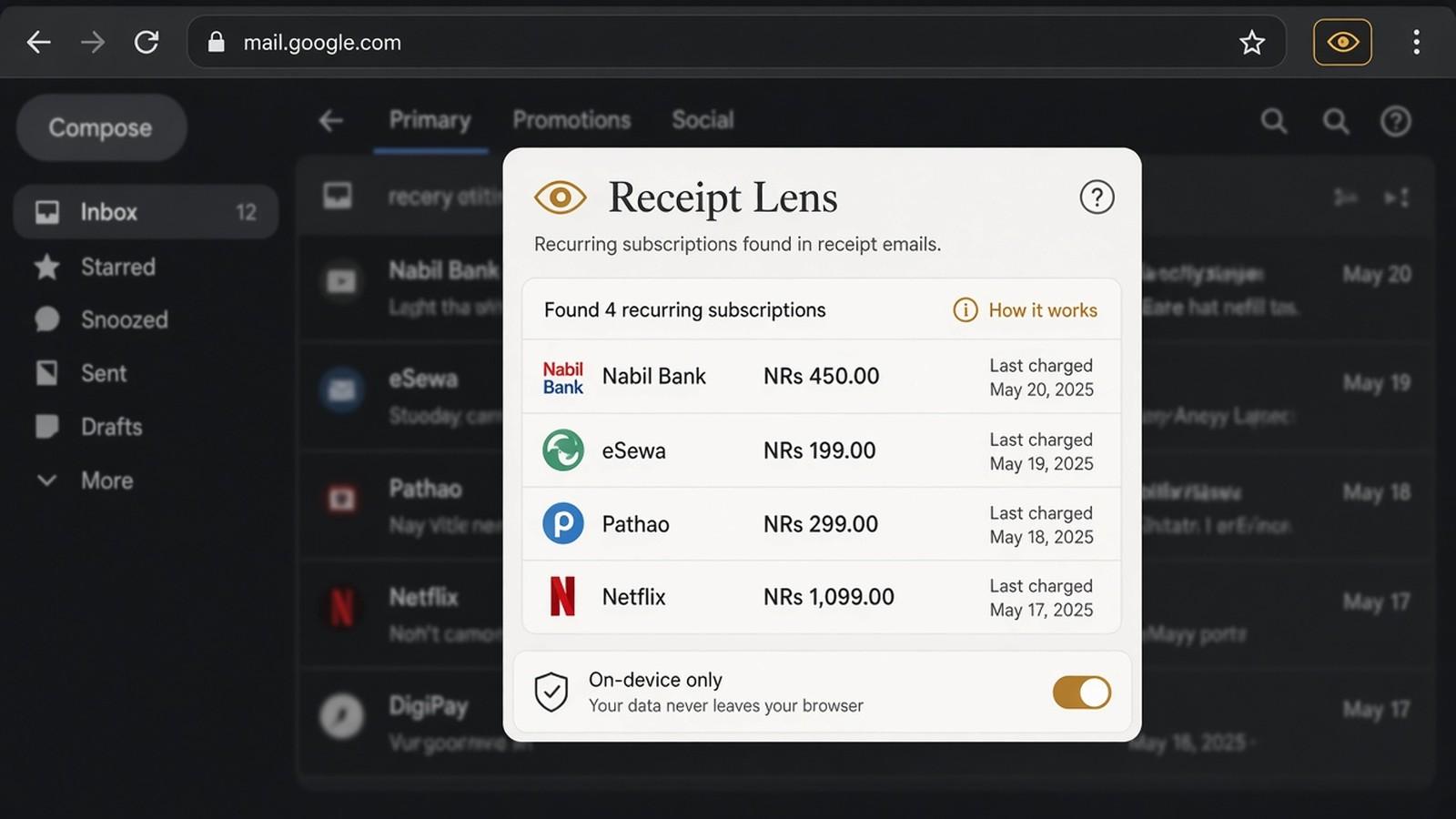
Subscriptions hiding in receipt emails.
A privacy-first Chrome extension that reads Gmail receipts read-only and keeps the data on your device.
01An evening in the inbox
It was the end of the month, the power had gone for a bit, and when it came back I did that slightly grim thing of scrolling Gmail "just to tidy up." In between newsletters I kept finding receipts — a trial that had become a subscription, a yearly charge I had agreed to on a tired evening, a payment I had forgotten because it never arrived as a proper bill. None of it was dramatic. It was just money leaving, quietly, in email form.
A friend said I should try one of those inbox-analyser tools. I almost did, and then I thought about handing the whole mailbox to a product I did not run. That was the end of that idea.
02The experiment
So I built a small experiment for myself: Receipt Lens, a Chrome extension. You choose a date range and click Scan Gmail. It only asks for read-only access. It cannot send, edit or delete mail. It looks for receipt-like messages, pulls out a best guess at amount, merchant and date, and keeps the results in the browser's local storage. Tokens stay in memory. There is no analytics backend, and no custom server for the mail. A review queue means nothing counts toward totals until you confirm it. It also tries to flag likely monthly subscriptions from merchant, amount and a roughly monthly gap, and you can match a local bank-statement CSV on the same machine.
Receipt formats are messy. Amounts still need a human look before anyone should treat them as accounting.
03What it does now
It is an unpublished experiment. I have not put it in the Chrome Web Store. If I ever do, the same rule stays: the inbox does not leave the device.
04A careful note
If a money tool needs your mail, and it cannot explain how that mail stays yours, it is not a tool yet. It is a request for trust I was not willing to make — even to myself, as a shortcut.